
The Problem CI/CD Actually Solves
Every team without a pipeline knows the ritual: a developer merges weeks of work, something breaks in a place nobody expected, the release slips to the weekend, and deployment becomes a ceremony of checklists, hope, and one person who “knows how the server works.” A ci/cd pipeline explained honestly starts here — not with tools, but with this pain: integrating code late and deploying by hand is slow, risky, and frightening, so teams do it rarely, which makes each attempt bigger and scarier still.
CI/CD breaks that cycle by making integration continuous and delivery automatic. Small changes, merged often, tested automatically, and deployed by a machine that does it the same way every time.
CI: Continuous Integration
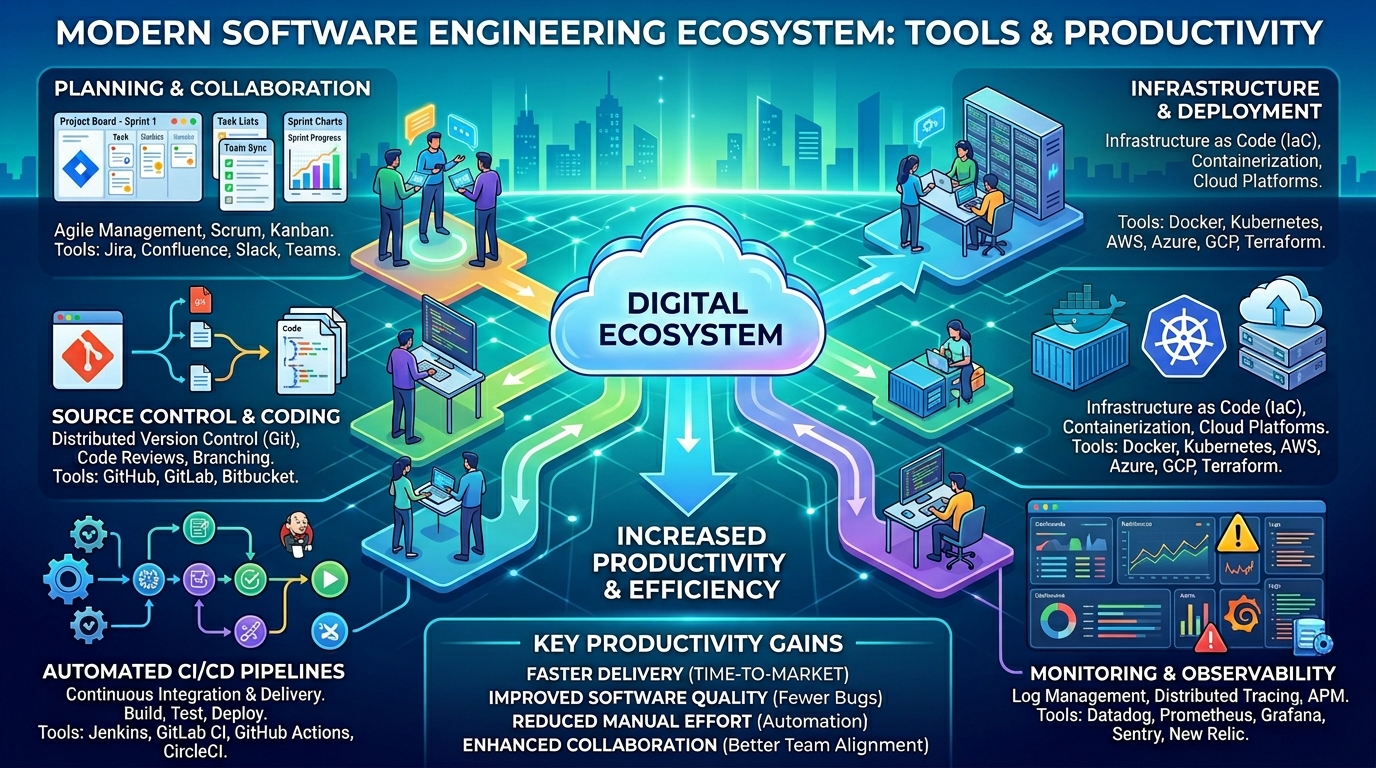
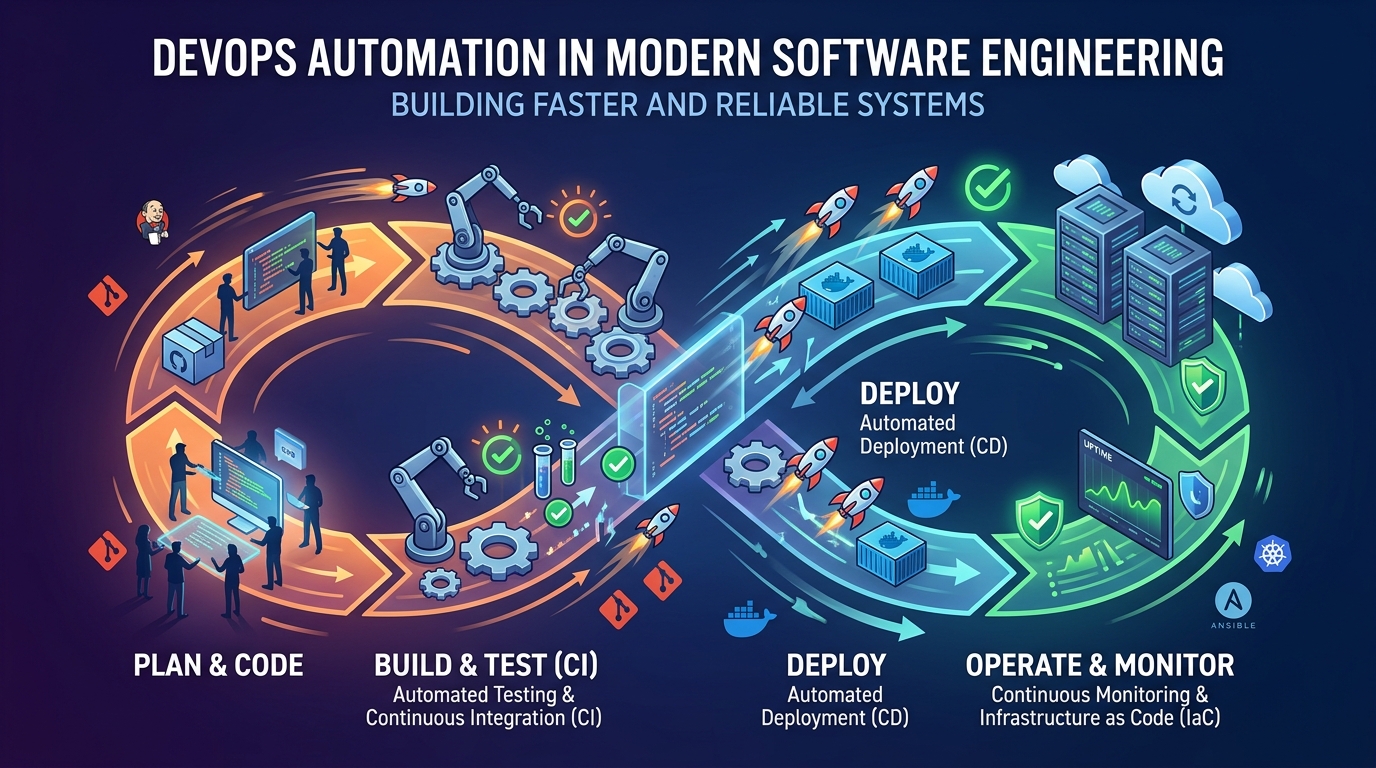
Continuous integration is the practice of merging code into the shared mainline frequently — daily or more — with every merge automatically built and tested. The pipeline’s first jobs on each change: compile or build the project, run the automated test suite, check code quality and known security issues, and report the result in minutes. A red build is a stop-the-line event: fix it now, while the change is small and its author remembers writing it.
The discipline CI demands is cultural as much as technical. Changes must be small enough to review and test meaningfully; the test suite must be trustworthy, because a suite that cries wolf gets muted, and a muted suite is worse than none; and the mainline must stay releasable, with unfinished features hidden behind flags rather than parked on long-lived branches where integration debt silently compounds.
CD: Continuous Delivery (and Its Bolder Sibling)
Continuous delivery extends the pipeline so that every change passing the tests is automatically packaged and deployed to a staging environment, ready for production at the push of a button — the human decision remains, but the mechanics are done. Continuous deployment removes even that button: passing changes go straight to users. Most teams should aim for delivery first; the button is cheap, and the confidence it buys while the pipeline earns trust is worth it.
Good pipelines deploy in ways that limit blast radius: roll out to a small slice of users first (a canary), watch error rates and latency automatically, and roll back fast when the numbers move the wrong way. Rollback deserves emphasis — the ability to undo a release in minutes is what transforms deployment from a gamble into a routine, and it depends on the same design-for-failure thinking covered in system design basics: systems built to degrade gracefully also tend to deploy and recover gracefully.
The Stages of a Healthy Pipeline
Strip away brand names and most pipelines share a skeleton. Source: a change lands in version control. Build: the software is compiled and packaged into one versioned artefact — the exact bits that will be tested are the exact bits that will ship. Test: unit tests, integration tests, security and quality scans, in that order of speed so failures surface fast. Stage: the artefact deploys to an environment resembling production, where smoke tests and sometimes human review happen. Deploy: progressive rollout with monitoring. Observe: the pipeline watches the release’s health and triggers rollback or alerts automatically.
Two rules keep this skeleton healthy. Keep the pipeline fast — a forty-minute pipeline teaches developers to batch changes, recreating the very problem CI exists to kill; ten minutes is a sane target. And treat the pipeline itself as a product: it is the factory floor of the whole engineering organisation, and it deserves an owner, maintenance, and zero tolerance for “that failure is normal, just re-run it.”
Where Teams Go Wrong
The common failure modes are predictable. Automating a chaotic manual process simply produces chaos at machine speed — simplify the release process first, then automate it. Skipping the test investment and building a pipeline that deploys untested code faster helps nobody. Letting the pipeline become one person’s side project guarantees it rots when they go on holiday. And measuring success by deployment frequency alone misses the point: the goal is change that is small, safe, and reversible — frequency is the symptom, not the achievement.
Start small: one project, build plus tests on every merge, automated deployment to staging. Add stages as the pain they solve actually appears. A modest pipeline the team trusts beats an elaborate one they route around within a month.
Security and Secrets Inside the Pipeline
A pipeline touches everything, which makes it a high-value target and a place where discipline pays compound interest. Store credentials in a proper secrets manager, never in the repository or in plain pipeline variables printed to logs. Give the pipeline the least access it needs: it may deploy to production, but it should not be able to read the customer database at will. Scan dependencies for known vulnerabilities on every build, because the fastest way vulnerable libraries spread is through automated builds nobody inspects.
Finally, keep an audit trail: who changed what, which artefact is running where, and which pipeline run put it there. When something breaks at the worst possible time, that trail is the difference between a fifteen-minute diagnosis and a weekend of archaeology — and it costs almost nothing to keep when it is built into the pipeline from the start rather than bolted on after the first incident.
The Bottom Line
With the ci/cd pipeline explained in working terms, it is a habit made mechanical: integrate small changes constantly, let machines build, test, and deliver them identically every time, deploy progressively, and keep rollback one click away. Teams that adopt it stop fearing releases — and a team that does not fear releasing ships more value, more calmly, than any heroic weekend ever produced. Start with one project this week — build and tests on every merge, an automatic trip to staging — and the pipeline will begin paying rent immediately, in weekends returned and releases nobody dreads.