Introduction to Data Storage and Processing
Importance of Efficient Data Storage and Processing
Efficient data storage and processing are critical for modern organizations to make timely and informed decisions. Proper systems ensure that large volumes of data are handled reliably, securely, and quickly, supporting analytics, reporting, and business operations.
Difference Between Storage, Processing, and Analytics
| Aspect | Definition | Purpose |
|---|---|---|
| Storage | Saving data in databases, warehouses, or data lakes | Ensures data is accessible, organized, and secure |
| Processing | Transforming, cleaning, and aggregating data | Prepares data for analysis or reporting |
| Analytics | Analyzing processed data to gain insights | Supports decision-making, forecasting, and strategy |
Benefits of Optimized Data Workflows
Efficient storage and processing improve overall organizational performance.
- Speed: Faster data retrieval and processing for real-time or near-real-time insights
- Cost-Efficiency: Reduces storage costs and resource usage by optimizing workflows
- Reliability: Minimizes errors, ensures data integrity, and supports consistent analytics
Types of Data Storage

a. Relational Databases (RDBMS)
Relational databases store structured data in tables with predefined schemas.
Key Points:
- Best suited for structured data with clear relationships
- Examples: MySQL, PostgreSQL
- Use Cases: Transactional systems, inventory management, CRM
- Limitations: Less suitable for unstructured or rapidly changing data
b. NoSQL Databases
NoSQL databases handle unstructured or semi-structured data with flexible schemas.
Key Points:
- Supports JSON, key-value, graph, and document-based data
- Examples: MongoDB, Cassandra
- Use Cases: Social media data, IoT, real-time analytics
- Scalability Benefits: Easily handles large-scale distributed data
c. Data Warehouses
Data warehouses are optimized for reporting and analytics rather than transactional workloads.
Key Points:
- Designed for structured, historical data
- Examples: Snowflake, Amazon Redshift, Google BigQuery
- Comparison with Traditional Databases:
- Focus on read-heavy queries and analytics
- Supports complex aggregations, dashboards, and BI tools
d. Data Lakes
Data lakes store raw, unprocessed, and large volumes of diverse data types.
Key Points:
- Can handle structured, semi-structured, and unstructured data
- Examples: AWS S3, Azure Data Lake, Google Cloud Storage
- Advantages for Big Data Projects:
- Flexible schema and storage for large datasets
- Supports advanced analytics, machine learning, and AI projects
Data Processing Techniques

a. Batch Processing
Batch processing handles large datasets at scheduled intervals rather than continuously.
Key Points:
- Processes data in chunks (e.g., hourly, daily, or weekly)
- Ideal for large volumes of data that don’t require instant processing
- Examples: Nightly ETL pipelines for sales, finance, or inventory reports
b. Real-Time / Streaming Processing
Real-time processing handles data as it arrives, providing instant insights and actions.
Key Points:
- Processes each data event immediately or in small micro-batches
- Suitable for time-sensitive applications and monitoring
- Examples: Apache Kafka, AWS Kinesis, real-time website analytics
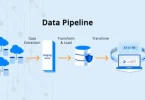
c. ETL vs ELT
ETL and ELT define how data is processed and stored for analytics.
ETL (Extract → Transform → Load)
- Data is transformed before loading into storage
- Best for structured data and traditional warehouses
ELT (Extract → Load → Transform)
- Data is loaded first and then transformed within the storage system
- Ideal for large datasets and cloud-based warehouses
Choosing the Right Method:
- Consider data volume, processing speed, and analytics requirements
- ETL: smaller datasets, predefined schema, on-premise warehouses
- ELT: large or unstructured datasets, cloud-based storage, flexible transformation
Optimization Tips for Storage and Processing
1. Efficient File Formats
Choosing the right file format can significantly improve storage efficiency and query performance.
Recommended Formats:
- Parquet: Columnar storage, ideal for analytical queries
- Avro: Compact row-based storage, good for serialization
- ORC: Optimized for big data workloads with compression and indexing
2. Compression Techniques
Compressing data reduces storage costs and speeds up data transfers.
Common Techniques:
- Gzip, Snappy, or Zstd for compressing files in storage
- Apply compression during ETL or while storing in data lakes/warehouses
3. Partitioning and Indexing
Organizing data improves query performance and reduces read times.
Key Practices:
- Partitioning: Split datasets based on columns (e.g., date, region)
- Indexing: Create indexes on frequently queried columns
- Reduces scanning large datasets and improves analytics speed
4. Parallel Processing and Caching
Leverage computing strategies to speed up data processing.
Key Techniques:
- Parallel Processing: Run multiple tasks simultaneously using frameworks like Spark or Dask
- Caching: Store frequently accessed datasets in memory for faster queries
- Helps optimize both batch and streaming pipelines
Data Security and Compliance
1. Encrypting Data at Rest and in Transit
Encryption ensures that data is protected from unauthorized access both while stored and during transmission.
Key Practices:
- At Rest: Encrypt databases, data lakes, and file storage using AES or other strong encryption algorithms
- In Transit: Use SSL/TLS protocols for secure data transfer between systems
2. Role-Based Access Control (RBAC)
RBAC restricts access to data based on user roles to ensure that only authorized personnel can view or modify sensitive data.
Key Practices:
- Define roles and permissions clearly
- Grant minimum access required for users to perform their tasks
- Regularly audit access rights
3. Backup and Disaster Recovery Strategies
Data loss can occur due to system failures, human errors, or cyberattacks. Robust backup and recovery strategies are essential.
Key Practices:
- Maintain regular automated backups
- Store backups in multiple locations (on-premise and cloud)
- Test recovery procedures periodically
4. Compliance with Regulations
Organizations must comply with data privacy and security regulations to avoid legal penalties and protect user information.
Key Regulations:
- GDPR: European regulation for data protection and privacy
- HIPAA: U.S. regulation for healthcare data security
- Other industry-specific standards depending on the business
Key Practices:
- Maintain audit logs of data access and modifications
- Implement data retention and deletion policies
- Ensure encryption, access control, and monitoring meet compliance requirements
You may also like to read these posts:
Beginner’s Guide to Managed IT Services for Smart Business Growth
Best Cloud Storage Options for Businesses & Individuals
Easy Core Java Tutorials for Beginners to Start Coding
System Architecture Design Tips for Building Better Systems
Tools and Technologies
1. Storage Tools
Efficient storage solutions are essential for managing structured and unstructured data.
Options:
- SQL Databases: MySQL, PostgreSQL for structured relational data
- NoSQL Databases: MongoDB, Cassandra for unstructured or semi-structured data
- Data Lakes: AWS S3, Azure Data Lake, Google Cloud Storage for raw, large-scale datasets
- Cloud Storage: Scalable and accessible storage options for both structured and unstructured data
2. Data Processing Tools
Processing tools help transform raw data into usable formats for analysis and reporting.
Options:
- Apache Spark: Distributed data processing for batch and streaming data
- Hadoop: Big data framework for large-scale batch processing
- Python: Flexible scripting and automation with libraries like Pandas, NumPy
- SQL: Querying, filtering, and aggregating data in databases
3. Orchestration Tools
Orchestration tools automate workflows, ensuring data pipelines run reliably.
Options:
- Apache Airflow: Workflow scheduling and dependency management for ETL pipelines
- Prefect: Python-based orchestration tool with monitoring and error handling
4. Analytics and Visualization Tools
These tools help turn processed data into actionable insights.
Options:
- Tableau: Interactive dashboards and visual analytics
- Power BI: Business intelligence and reporting from multiple data sources
- Looker: Cloud-based analytics and visualization platform for business insights
Faqs:
What is the best type of data storage for large datasets?
Data lakes or cloud storage solutions like AWS S3, Azure Data Lake, or Google Cloud Storage are ideal for storing large, unstructured datasets.
How can I improve data processing performance?
Optimize file formats (Parquet/Avro), use partitioning and indexing, implement parallel processing, and cache frequently accessed data.
Should I use batch or real-time processing?
Use batch processing for scheduled large-volume tasks and real-time/streaming processing for continuous data updates and analytics.
How do I ensure data security and compliance?
Encrypt data at rest and in transit, implement role-based access control, regularly audit access logs, and follow regulations like GDPR or HIPAA.
What tools are recommended for automating data storage and processing?
Popular tools include Apache Airflow, Prefect, Talend, AWS Glue, Hadoop, Apache Spark, and Python/SQL scripts.
Conclusion
Efficient data storage and processing are essential for organizations to manage, analyze, and derive insights from their data effectively. By following these data storage and processing tips, including choosing the right storage solutions, optimizing file formats, automating pipelines, and ensuring security, you can build scalable, reliable, and high-performance data workflows. Implementing these best practices prepares your systems for both current needs and future growth, making data management more efficient and insightful.