Introduction to Data Engineering Workflows
Definition and Importance of Data Engineering Workflows
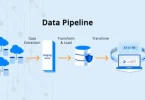
Data engineering workflows are structured sequences of steps that move data from sources to storage, transform it, and prepare it for analysis. They define how data flows through an organization’s systems, ensuring that it is accurate, accessible, and usable for decision-making.
How Workflows Streamline Data Collection, Processing, and Analysis
- Data Collection: Automates extraction from multiple sources like databases, APIs, and logs
- Data Processing: Standardizes, cleans, and transforms raw data into structured formats
- Data Analysis: Prepares data for reporting, dashboards, and analytics tools
By defining a clear workflow, organizations reduce manual effort, prevent errors, and maintain consistent processes.
Benefits of Data Engineering Workflows
- Efficiency: Automates repetitive tasks and accelerates data processing
- Reliability: Ensures consistent, error-free data handling
- Scalability: Easily accommodates growing data volumes and complexity
- Maintainability: Simplifies monitoring, debugging, and updating workflows
Step 1: Data Collection / Ingestion
Sources of Data
Data can come from multiple internal and external sources:
- Databases: Relational (MySQL, PostgreSQL) or NoSQL (MongoDB, Cassandra)
- APIs: Web services providing structured or unstructured data
- Logs: System logs, application logs, server activity
- CSV / Excel Files: Flat-file datasets for analysis
- IoT Devices: Sensors, smart devices, and other real-time sources
Methods of Ingestion
Data can be collected in different ways depending on the use case:
- Batch Ingestion: Collects data at scheduled intervals (e.g., hourly, daily)
- Real-Time / Streaming Ingestion: Processes data as it arrives for immediate analysis
Tools for Data Ingestion
- Apache Kafka: Distributed streaming platform for real-time ingestion
- AWS Kinesis: Cloud-based service for collecting and processing streaming data
- Apache NiFi: Flow-based tool for automating data movement and transformation
- Python Scripts: Lightweight solution for custom batch or streaming ingestion
Best Practices
- Validate data at the ingestion stage to prevent errors downstream
- Ensure proper formatting, completeness, and schema compliance
- Monitor ingestion pipelines for failures or delays
Step 2: Data Storage

Storage Types
Choosing the right storage type depends on the data structure, volume, and intended use.
- Relational Databases (RDBMS): MySQL, PostgreSQL
- Best for structured data with predefined schemas
- Ideal for transactional applications
- NoSQL Databases: MongoDB, Cassandra
- Handles unstructured or semi-structured data
- Scales easily for large datasets and distributed systems
- Data Lakes: AWS S3, Azure Data Lake
- Stores raw, unprocessed, and diverse data types
- Flexible for future analytics or machine learning projects
- Data Warehouses: Snowflake, BigQuery, Redshift
- Optimized for structured, historical data
- Designed for reporting, analytics, and BI dashboards
Choosing Storage
- Consider data type (structured, semi-structured, unstructured)
- Consider data volume (small vs. large datasets)
- Consider analytics requirements (real-time, batch processing, BI tools)
Best Practices for Organizing and Structuring Data
- Use clear naming conventions for tables, files, and folders
- Partition data logically (e.g., by date, region, or category)
- Apply indexing to speed up queries in relational databases
- Ensure proper access control and permissions for security
- Maintain metadata for easy tracking and understanding of data
Step 3: Data Cleaning and Transformation

Cleaning Tasks
Data cleaning ensures accuracy, consistency, and reliability for analysis.
- Removing Duplicates: Eliminate repeated rows or records
- Handling Missing Values: Fill, interpolate, or remove incomplete data
- Normalizing Formats: Standardize dates, text, and numeric formats
Transformation Tasks
Data transformation prepares raw data for analysis and reporting.
- Aggregating: Summarize data using sums, averages, counts, etc.
- Enriching: Add new columns or external data to provide context
- Filtering: Select relevant subsets of data
- Joining Datasets: Combine multiple tables or sources for a unified dataset
Tools for Cleaning and Transformation
- Python (Pandas): Flexible library for data manipulation
- SQL: Querying, filtering, and aggregating structured data
- Apache Spark: Distributed processing for large-scale batch and streaming data
Best Practices
- Maintain data quality checks to ensure accuracy at each step
- Log all transformations for reproducibility and auditing
- Validate outputs to prevent errors downstream in pipelines
- Use versioning for datasets to track changes and recover previous states
You may also like to read these posts:
Beginner’s Guide to Managed IT Services for Smart Business Growth
Best Cloud Storage Options for Businesses & Individuals
Easy Core Java Tutorials for Beginners to Start Coding
System Architecture Design Tips for Building Better Systems
Purpose of Data Integration
Data integration combines data from multiple sources into a single, unified format for easier analysis and reporting. Proper integration ensures consistency, completeness, and usability of data across the organization.
Key Tasks in Data Integration
- Combining Data: Merge datasets from databases, APIs, logs, or flat files
- Handling Schema Differences: Align column names, data types, and structures
- Ensuring Consistency: Standardize formats and resolve conflicting data
Tools for Data Integration
- ETL Tools: Talend, Informatica, Apache Airflow for automated pipelines
- Python Scripts: Custom integration for small or specific datasets
- SQL Queries: Joining and merging structured data from multiple tables
Best Practices
- Document integration logic and mapping rules for reproducibility
- Track changes made during integration for auditing purposes
- Validate the combined dataset for accuracy and completeness
- Maintain clear version control for integrated data
Faqs:
What are the main steps in a data engineering workflow?
The main steps include data collection/ingestion, storage, cleaning and transformation, integration, orchestration, analytics storage, visualization, and monitoring.
Which tools are commonly used in data engineering workflows?
Popular tools include Python, SQL, Apache Spark, Apache Airflow, Talend, Snowflake, Redshift, BigQuery, Tableau, and Power BI.
What is the difference between ETL and ELT in workflows?
ETL (Extract → Transform → Load) transforms data before storing it, while ELT (Extract → Load → Transform) loads raw data first and then transforms it in the storage system.
How can beginners practice data engineering workflows?
Beginners can start with small datasets, build simple ETL pipelines, automate tasks, and gradually integrate visualization and orchestration tools.
Why is monitoring important in data engineering workflows?
Monitoring ensures pipelines run smoothly, data quality is maintained, errors are detected quickly, and performance bottlenecks are identified and resolved.
Conclusion
Following a structured data engineering workflow ensures that raw data is efficiently collected, processed, and transformed into actionable insights. By understanding each step—from data ingestion and storage to transformation, integration, orchestration, and visualization—beginners can build scalable and reliable pipelines. Implementing these workflow steps with best practices helps maintain data quality, improve performance, and prepare your systems for future growth and advanced analytics.