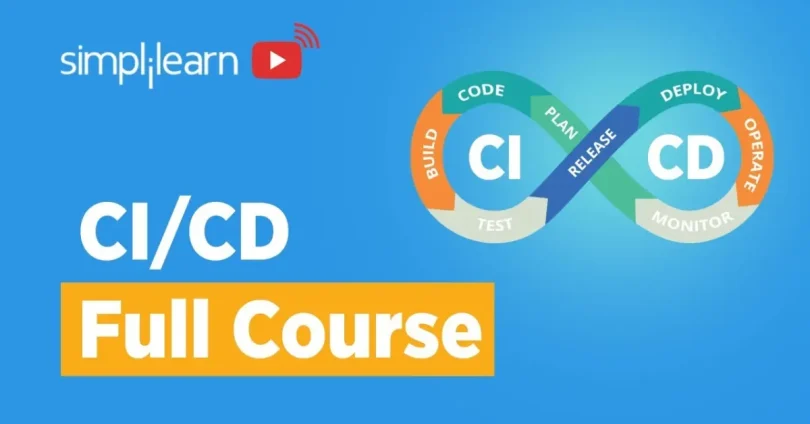

Introduction to CI/CD in DevOps
Definition of CI/CD
- Continuous Integration (CI): A development practice where code changes are automatically built, tested, and integrated into a shared repository multiple times a day to detect issues early.
- Continuous Delivery / Deployment (CD): Automates the release process, ensuring that code is always ready for deployment to production. Continuous Delivery requires manual approval for production releases, while Continuous Deployment automatically releases changes after passing tests.
Importance of CI/CD in Modern Software Development
CI/CD is a cornerstone of modern DevOps practices. It enables teams to streamline software development and operations by automating testing, integration, and deployment. This ensures faster, reliable, and predictable software delivery.
Benefits of CI/C
- Faster Delivery: Automated pipelines reduce manual steps and speed up release cycles
- Improved Quality: Early and continuous testing detects bugs before they reach production
- Reduced Errors: Standardized and automated processes minimize human mistakes
- Better Collaboration: CI/CD aligns development, QA, and operations teams toward shared goals
- Continuous Feedback: Provides real-time insights on code quality and system performance
Step 2: Continuous Integration (CI)
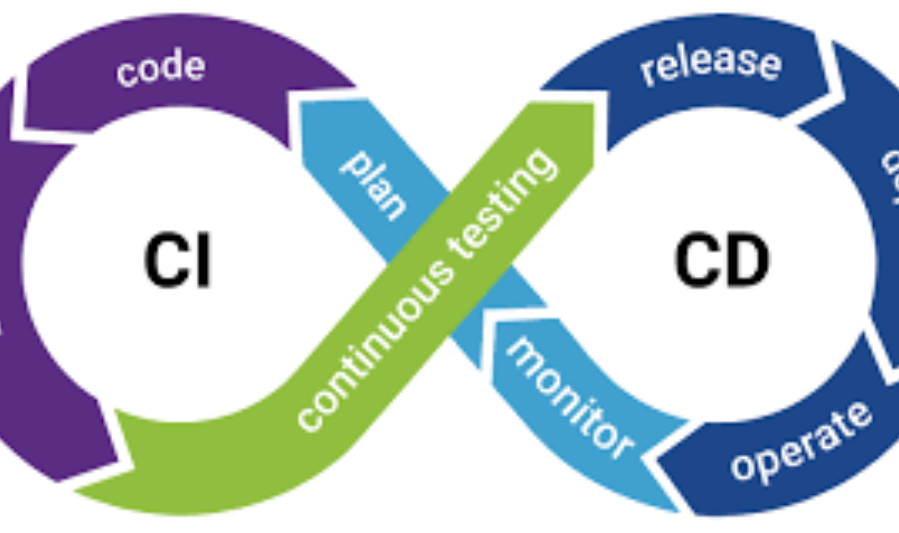
Purpose of Continuous Integration
Continuous Integration (CI) automates the process of integrating code changes into a shared repository. By building and testing code automatically, CI ensures early detection of errors, maintains code quality, and reduces integration problems.
Key CI Activities
- Automating Builds: Automatically compile and package code whenever changes are committed
- Running Tests: Execute unit tests, integration tests, and regression tests to validate functionality
- Feedback Loops: Provide immediate notifications for build or test failures to developers
Popular CI Tools
- Jenkins: Open-source automation server for building and testing code
- GitHub Actions: Integrated CI/CD workflows within GitHub repositories
- GitLab CI: Built-in CI/CD pipelines for GitLab projects
- CircleCI: Cloud-based CI platform for automated builds and tests
- Travis CI: Cloud CI service supporting multiple languages and platforms
Best Practices for CI
- Commit code frequently to detect issues early
- Keep builds fast to maintain developer productivity
- Provide clear error reporting for easy debugging
- Automate all tests to ensure consistent validation across environments
Step 3: Automated Testing
Purpose of Automated Testing
Automated testing ensures that code changes are verified quickly and consistently, reducing bugs and improving software reliability before deployment.
Types of Tests
- Unit Tests: Validate individual components or functions in isolation
- Integration Tests: Verify that different modules or services work together correctly
- End-to-End (E2E) Tests: Simulate real user scenarios to ensure the system works as expected
- Performance Tests: Assess system performance, scalability, and response under load
Popular Automated Testing Tools
- Selenium: Browser automation for web application testing
- JUnit: Java unit testing framework
- PyTest: Python testing framework for unit and functional tests
- TestNG: Advanced testing framework for Java with support for parallel testing
Test Coverage Strategies
- Prioritize testing of critical components and core workflows
- Combine multiple test types for comprehensive coverage
- Run tests automatically in the CI pipeline for immediate feedback
- Maintain up-to-date test suites to reflect new features and bug fixes
Step 4: Continuous Deployment / Delivery (CD)
Continuous Delivery vs Continuous Deployment
- Continuous Delivery (CD): Code changes are automatically prepared for release, but deployment to production requires manual approval.
- Continuous Deployment: Code changes that pass automated tests are deployed directly to production without manual intervention.
Automating Deployment
CD pipelines automate the release of software to staging and production environments to ensure reliable and consistent delivery.
Key Activities:
- Deploying tested builds to staging for final validation
- Promoting successful builds to production with minimal downtime
- Integrating automated rollback strategies in case of deployment failures
Popular CD Tools
- Jenkins: Supports automated deployment pipelines
- GitLab CI/CD: End-to-end CI/CD pipelines within GitLab
- Spinnaker: Multi-cloud continuous delivery platform
- AWS CodePipeline: Cloud-based automation for deployment workflows
Rollback and Recovery Strategies
- Implement automated rollback to revert to the last stable version in case of failure
- Maintain versioned deployments to track releases and quickly restore previous states
- Monitor deployments continuously to detect errors and performance issues
Step 5: Infrastructure as Code (IaC) and Environment Management
Automating Infrastructure Provisioning
Infrastructure as Code (IaC) allows teams to define, provision, and manage infrastructure programmatically rather than manually configuring servers or cloud resources. This ensures consistency and reduces human errors across environments.
Popular IaC Tools
- Terraform: Declarative tool for building and managing cloud infrastructure across multiple providers
- Ansible: Automation tool for configuration management and environment setup
- CloudFormation: AWS-native tool to define and provision infrastructure using JSON or YAML templates
Benefits of IaC
- Reproducibility: Infrastructure can be recreated reliably across environments
- Consistency: Standardized configurations reduce discrepancies between dev, test, staging, and production
- Version Control: Infrastructure changes can be tracked, reviewed, and rolled back like code
- Scalability: Easily scale resources up or down with scripts
Managing Multiple Environments
- Maintain separate environments for development, testing, staging, and production
- Apply consistent configurations across all environments
- Automate environment provisioning and teardown to support CI/CD pipelines
- Use IaC to test infrastructure changes in isolated environments before production deployment
You may also like to read these posts:
Beginner’s Guide to Managed IT Services for Smart Business Growth
Best Cloud Storage Options for Businesses & Individuals
Easy Core Java Tutorials for Beginners to Start Coding
System Architecture Design Tips for Building Better Systems
Step 6: Monitoring and Feedback Loops
Importance of Monitoring
Monitoring ensures that CI/CD pipelines and deployed applications are running smoothly. It allows teams to detect issues early, maintain performance, and continuously improve software delivery processes.
Key Activities
- Logging: Collect and store system, application, and pipeline logs for analysis
- Alerting: Set up notifications for failures, performance issues, or unusual activity
- Automated Issue Detection: Identify errors, bottlenecks, and anomalies in real-time
Popular Monitoring Tools
- Prometheus: Open-source monitoring and alerting toolkit for metrics
- Grafana: Visualization tool for monitoring data and creating dashboards
- ELK Stack (Elasticsearch, Logstash, Kibana): Centralized logging and analysis platform
- Datadog: Cloud-based monitoring and analytics solution for infrastructure and applications
Feedback Loops for Continuous Improvemen
- Use monitoring data to identify recurring issues and optimize pipelines
- Incorporate feedback into development and testing processes for faster bug resolution
- Track performance metrics to improve deployment strategies and user experience
- Enable a culture of continuous improvement by reviewing metrics and updating workflows regularly
Faqs:
What is CI/CD in DevOps?
CI/CD stands for Continuous Integration and Continuous Delivery/Deployment. It automates building, testing, and deploying code to improve software delivery speed and quality.
What are the main steps in a CI/CD pipeline?
The main steps include code commit, automated build, testing, deployment (to staging or production), monitoring, and feedback.
Which tools are commonly used for CI/CD?
Popular tools include Git, GitHub Actions, Jenkins, GitLab CI/CD, CircleCI, Docker, Kubernetes, Terraform, and Ansible.
What is the difference between Continuous Delivery and Continuous Deployment?
Continuous Delivery prepares code automatically for deployment to production, while Continuous Deployment automatically deploys every code change that passes tests to production.
How can beginners start implementing CI/CD?
Start with version control, automate builds and unit tests, create simple deployment pipelines, and gradually add monitoring, rollback strategies, and more advanced automation.
Conclusion
Implementing a DevOps CI/CD pipeline helps teams deliver software faster, more reliably, and with higher quality. By following structured steps—code commit, continuous integration, automated testing, deployment, infrastructure management, and monitoring—beginners can understand the full lifecycle of modern software delivery. Adopting CI/CD practices promotes automation, reduces errors, and fosters continuous improvement, creating a solid foundation for scalable and efficient DevOps workflows.